 DiskBuddy




Nothing is deleted.
Every cleanup moves files to the Trash, never to oblivion. The worst case is a drag back out.
- Undo puts a whole cleanup back
- You review every item first
DiskBuddy is a native Mac app that maps your whole disk in one scan, then clears what you don’t need, safely. Nothing is deleted. It all goes to the Trash.
$9 once · One key for Mac and Windows · macOS 14 and later

The storage bar from System Settings, with every coloured slice named and ready to clear.
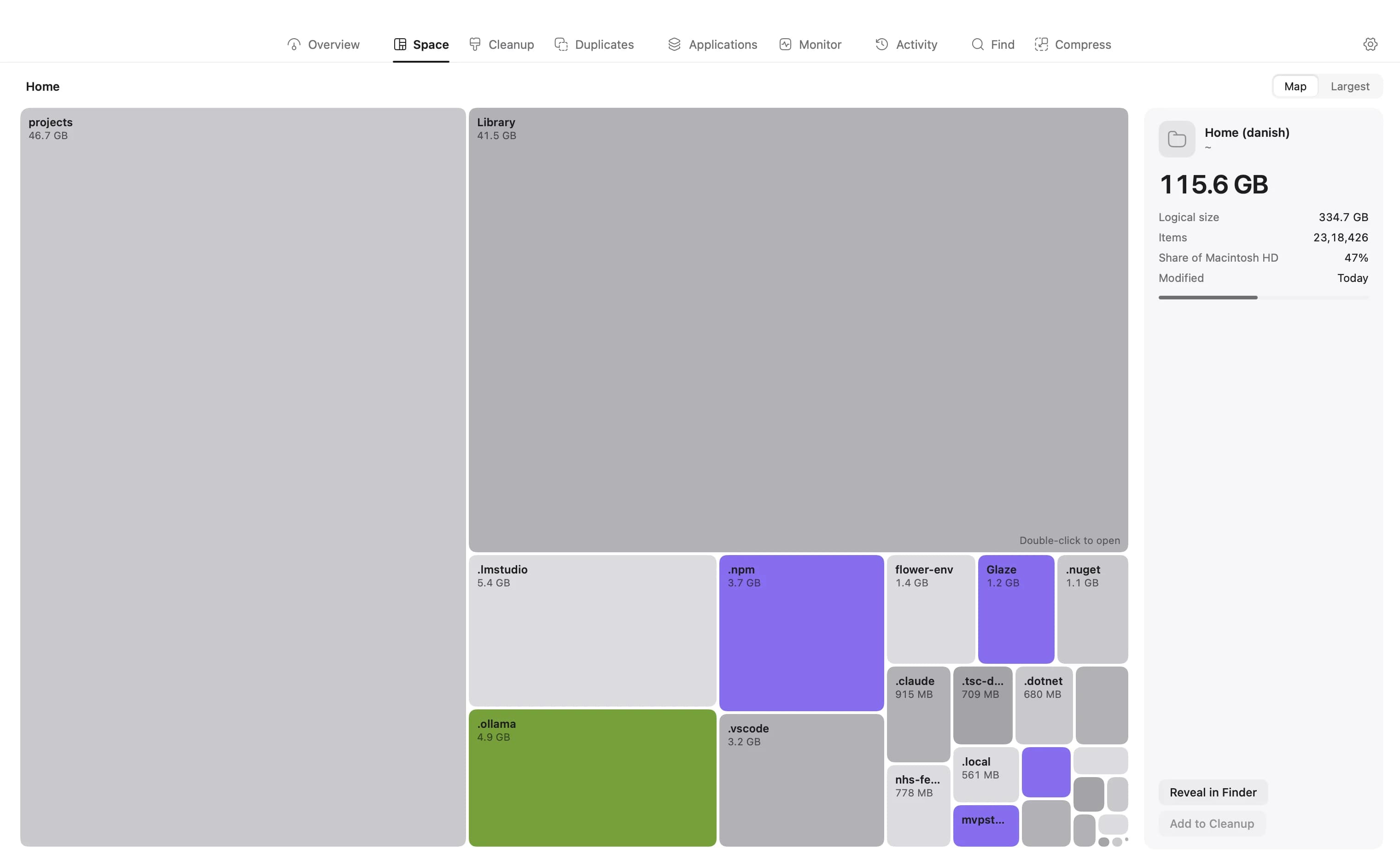
Nine rooms, one scan. What you keep shows in grey. What you could clear shows in colour.
Two promises the app keeps, whatever you click.
Every cleanup moves files to the Trash, never to oblivion. The worst case is a drag back out.
Scanning, hashing and duplicate matching all happen on your Mac. Not one filename is ever uploaded.
No subscription. Every update is included.
One payment. Yours to keep.
When the 400 launch copies are sold, the price goes to $49.
Already bought? Get your download link ›
It scans a drive or folder and maps every byte, then shows you where the space went: an overview of the disk, the largest files and folders, what is safe to clear, duplicates, every app's real footprint, and what the Mac is doing right now. From there you can inspect anything, reveal it in Finder, Quick Look it, or stage it for cleanup.
A full disk of about three million files takes around twenty seconds on Apple silicon; a home folder takes a few. The scanner reads directories on a pool of threads, so it is limited by the disk, not the processor.
Yes. Scan your full Mac, your home folder, or point DiskBuddy at any folder or mounted volume, external SSDs and network shares included.
For any selection: size on disk versus logical size, how much APFS compression saved you, file and folder counts, its share of the parent, created and modified dates, and a ranked list of the largest things inside.
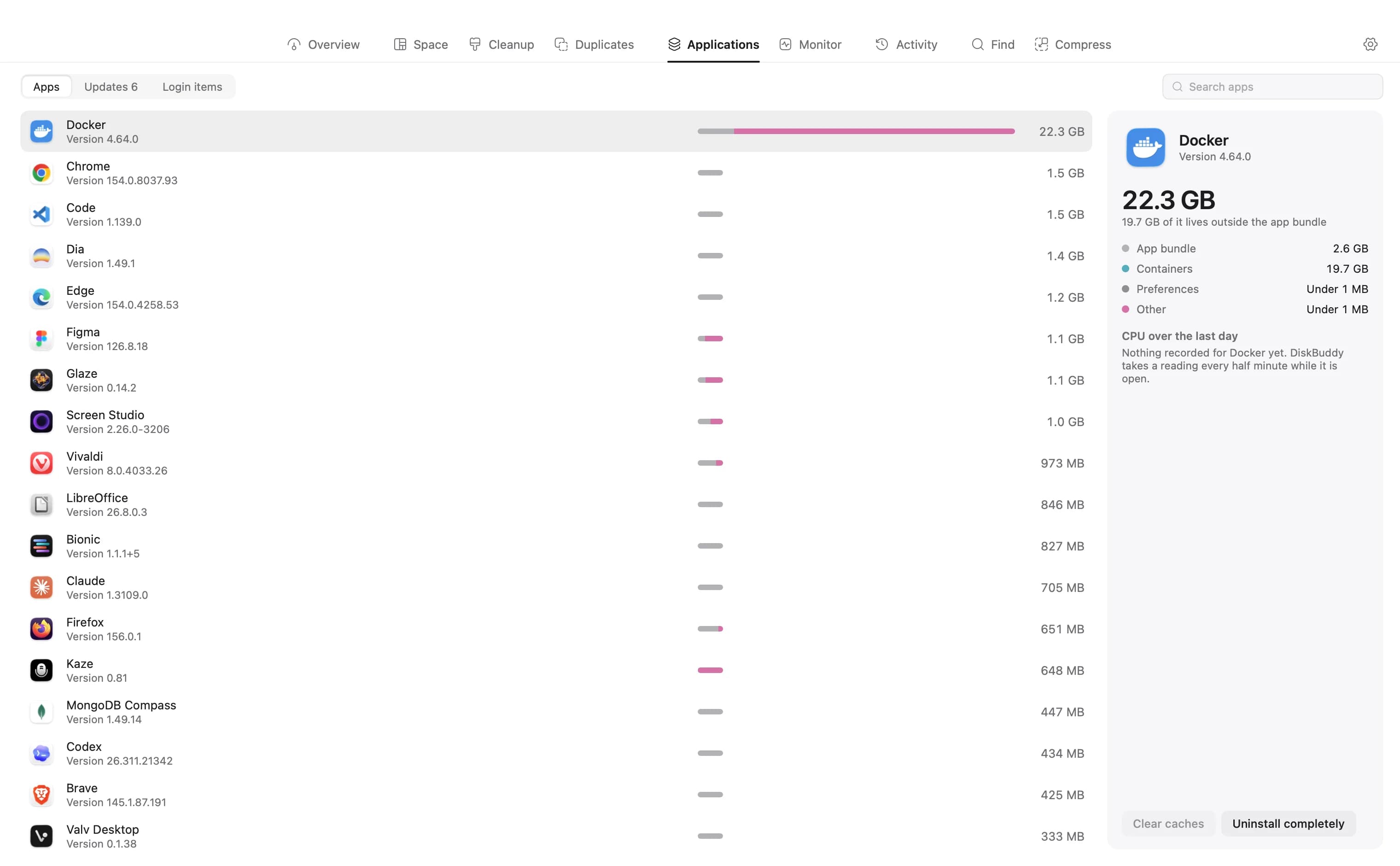
Its bundle plus every cache, container, preference and log it left behind, a day of its CPU and memory use while DiskBuddy was open, and the kernel's counters for its running processes. Two more tabs list apps with updates waiting and everything that starts at login, with a switch on each.
No. Scanning, hashing and duplicate matching all happen locally. There's no account, no sync, and no analytics pipeline. The only network calls are the licence check, and the update checker, which asks each app's own update feed if you open that tab.
Not on its own. Add to Cleanup stages an item on a list you review before anything is removed, and system-critical paths are excluded from staging in the first place.
Snapshots keep the result of a past scan so you can compare it against today's and see exactly which folders grew, useful when a drive fills up and you want to know what changed.
No, and there is no free tier. It is a one-time purchase with no subscription, and the price below is what you pay once. You can read every guide on this site for nothing, and the licence key is emailed to you the moment the payment clears.
$9, paid once. There is no subscription and no account to make - you get a licence key, and every update is included.
Buy, and the download link and your key appear on screen straight after checkout, and in your email. Open DiskBuddy, paste the key into the first screen, press Activate, and you are done.
One at a time. If you move to a new Mac, open Settings on the old one and choose Deactivate This Mac, which frees the key to activate somewhere else.
Only to activate. After that DiskBuddy re-checks the key in the background when it can, and keeps working for two weeks without ever reaching the internet, so a flight or a bad café Wi-Fi never locks you out.
The download link is shown on screen right after checkout and sent in the same email as your key. There is no separate download page: if you have paid and need the link again, go to diskbuddy.com/license and it is sent straight back to you.
Go to diskbuddy.com/license, enter the address you bought with, and both are sent again. Or email hello@diskbuddy.com.
Something else? hello@diskbuddy.com
macOS 14 and later. Windows 10 and 11.


