
Every app, with its real footprint and its real habits.
The bundle plus every cache, container, preference and log it left behind, and a day of its CPU and memory so you can see which app was busy at 3 am. Two more tabs list the apps with updates waiting and everything that starts at login, with a switch on each.
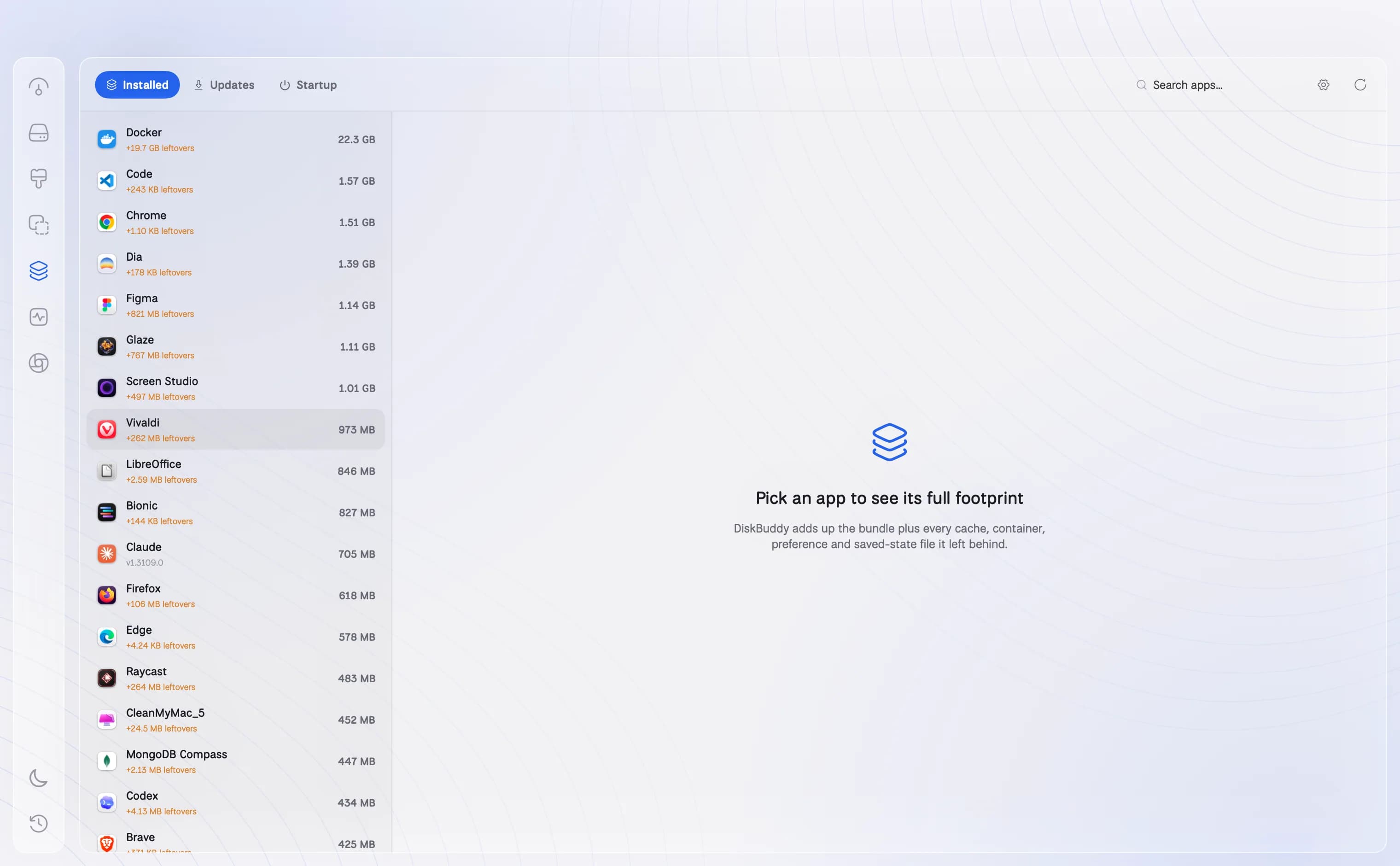
- Uninstall Completely takes the whole set, not just the icon
- Activity, last 24 hours: peaks, busiest moments, CPU time, disk I/O
- Updates from the app's own feed or Homebrew; login items and agents you can switch off
How it works
01
The real footprint
The app itself plus every cache, container, preference, log and support folder it made, added up, so you see what an app really costs.
02
Uninstall completely
Remove the app and everything it left behind in one go, to the Trash. Leftovers from apps you already deleted are listed too.
03
Its last 24 hours
CPU and memory through the day, the busiest moments, the network hosts it talks to and the files it has open, so you can see which app was busy at 3 am.
04
Updates and startup
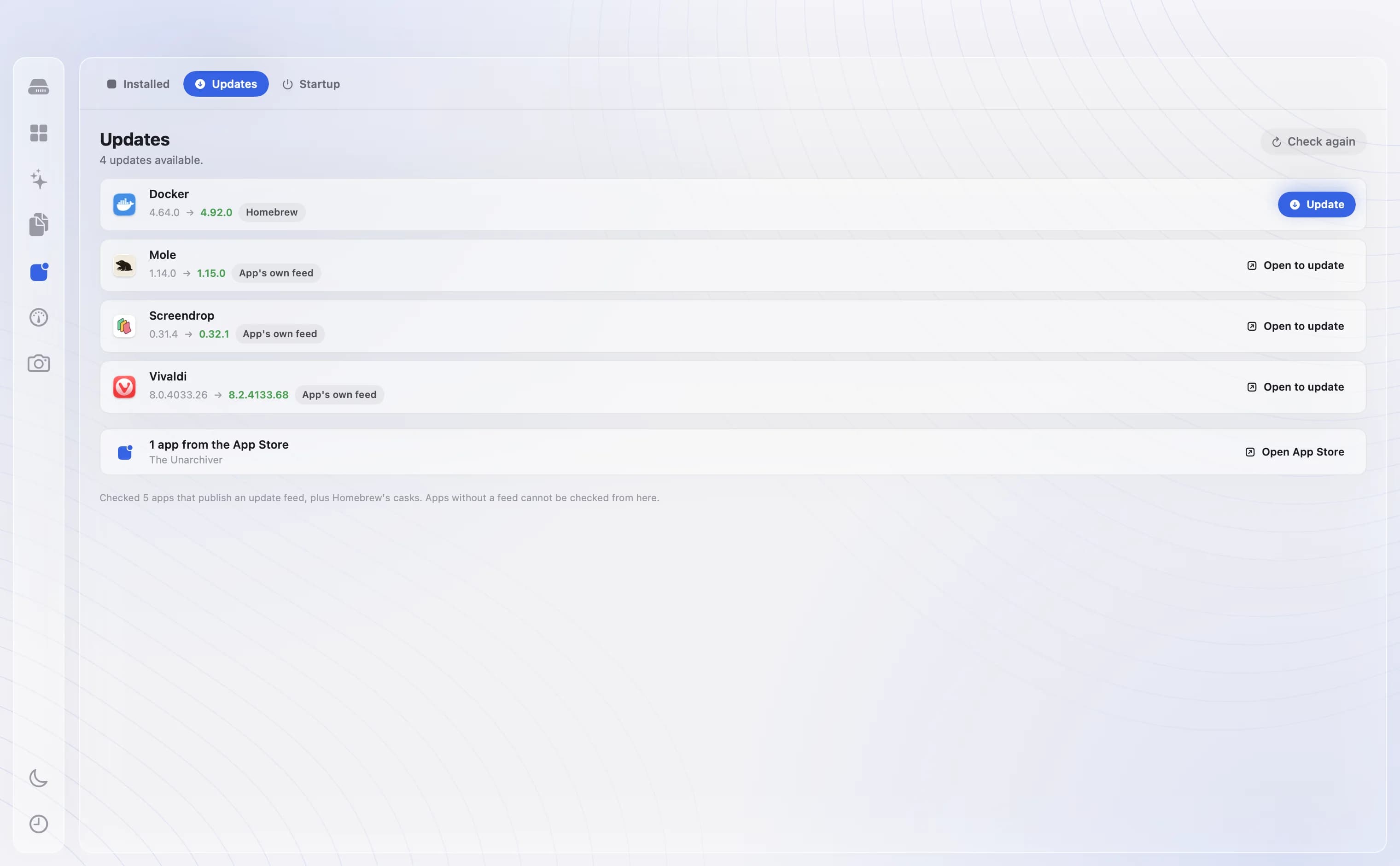
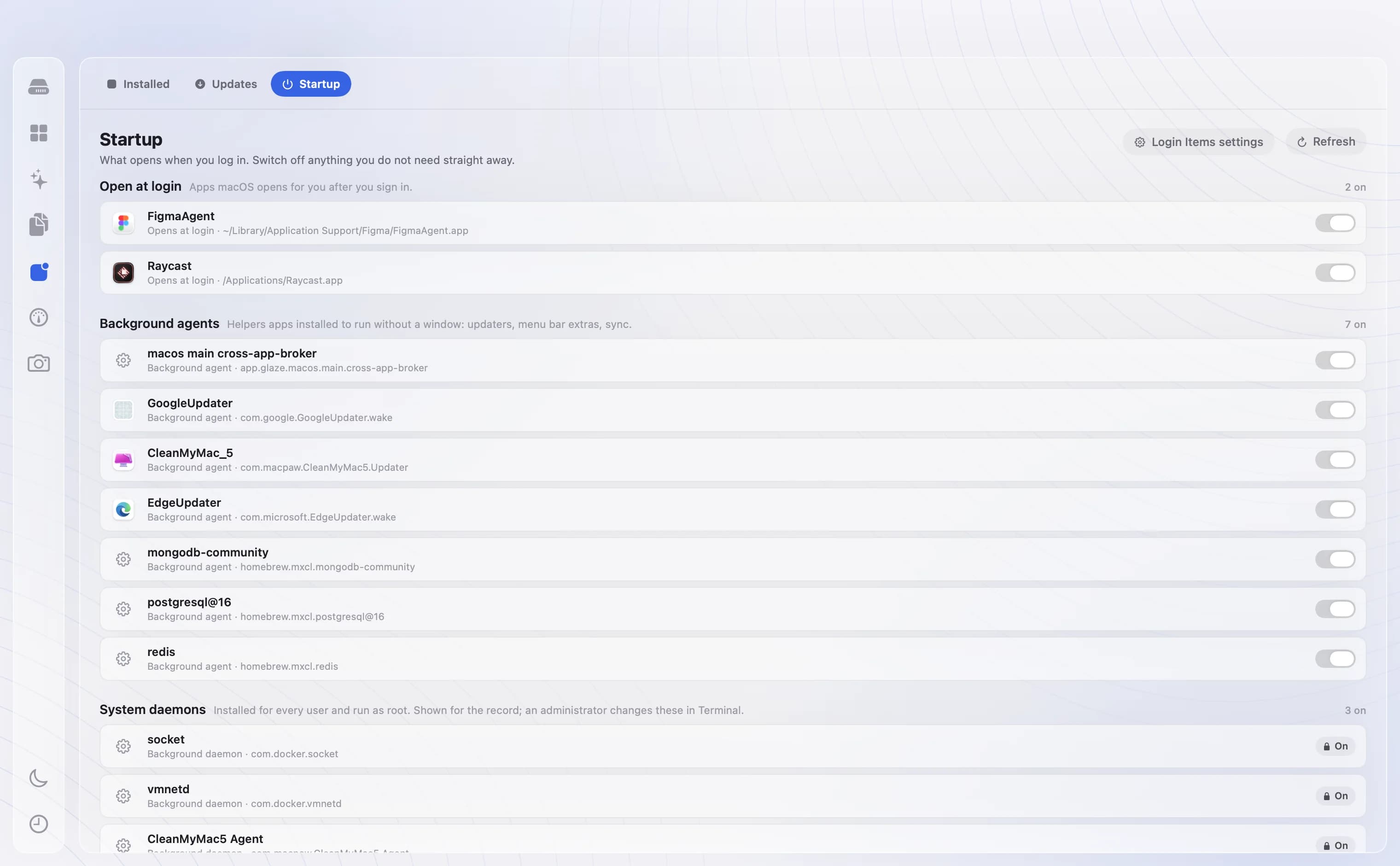
Apps with a newer version waiting, from the app's own update feed or Homebrew, and everything that opens at login or runs in the background, with a switch on each.
Questions about Applications
Does dragging an app to the Trash remove it completely?+
No. Most apps leave caches, preferences and support folders in your Library. DiskBuddy finds and removes those along with the app.
Where does the update information come from?+
From the update feed each app names itself, and from Homebrew for apps installed that way. DiskBuddy does not install updates behind your back.
Can I stop apps opening at login?+
Yes. The Startup tab lists login items and background agents, each with a switch to turn it off.
The other rooms
Next: Monitor →- OverviewOne scan, and the whole drive on one screen.See Overview →
- FindAny file on your Mac, found as you type.See Find →
- SpaceThe heavy things come to the top.See Space →
- CleanupFound for you. Trashed only when you say so.See Cleanup →
- DuplicatesFiles that exist twice, confirmed byte for byte.See Duplicates →
- MonitorWhat the Mac is doing, right now.See Monitor →
- CompressShrink it instead of deleting it.See Compress →
- ActivityWhat it has done for you, week by week.See Activity →
One app for the whole disk
Every room in one download. Pay once, keep it, and every update is included.
One payment, no subscription. Your key and the download arrive the moment the payment clears.