
Shrink it instead of deleting it.
Drop in videos and photos, or send the biggest ones straight from a scan. Videos go through the Mac's own hardware encoder, photos come out as JPG, PNG, WebP, AVIF or HEIC, and your originals stay exactly where they were.
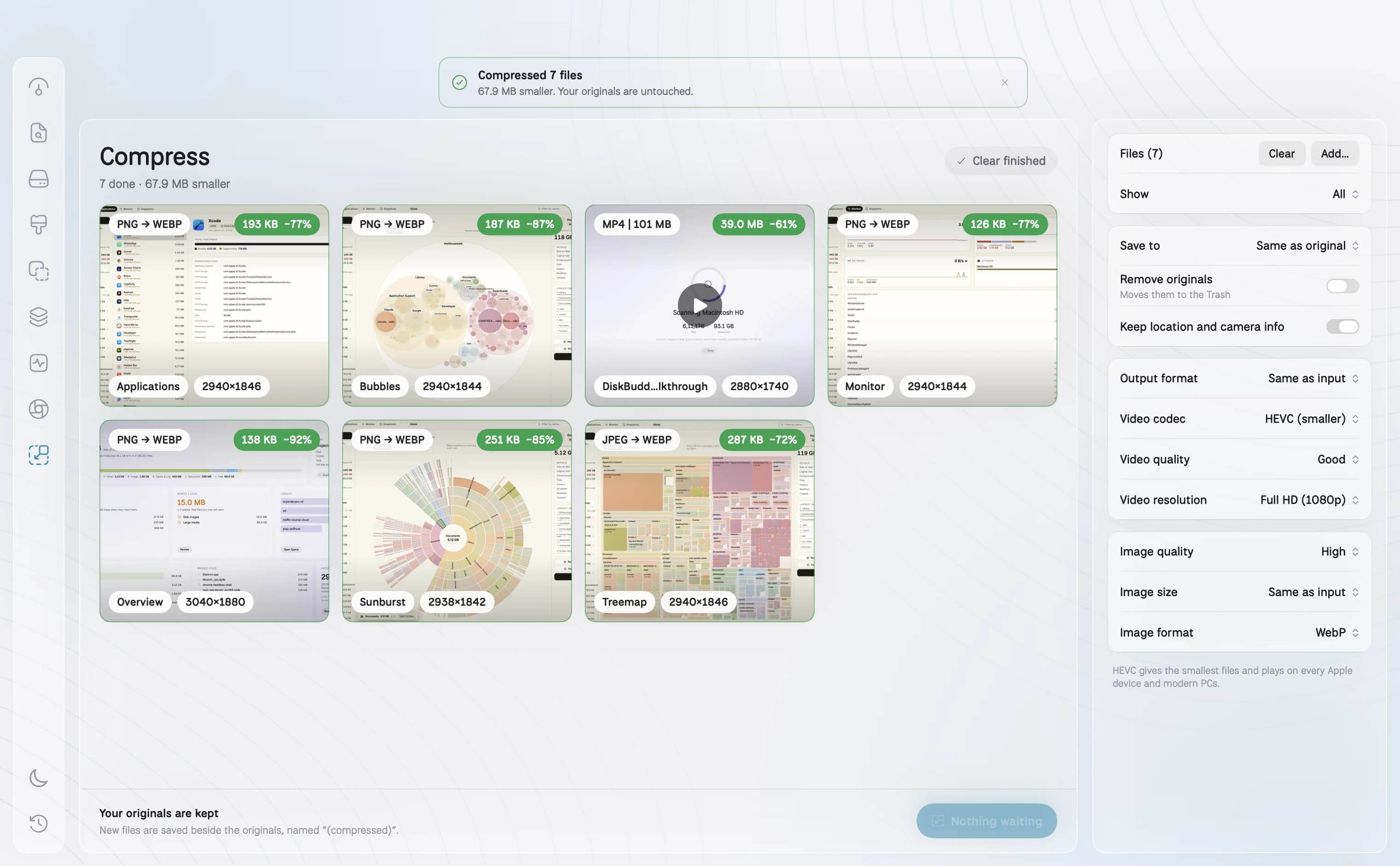
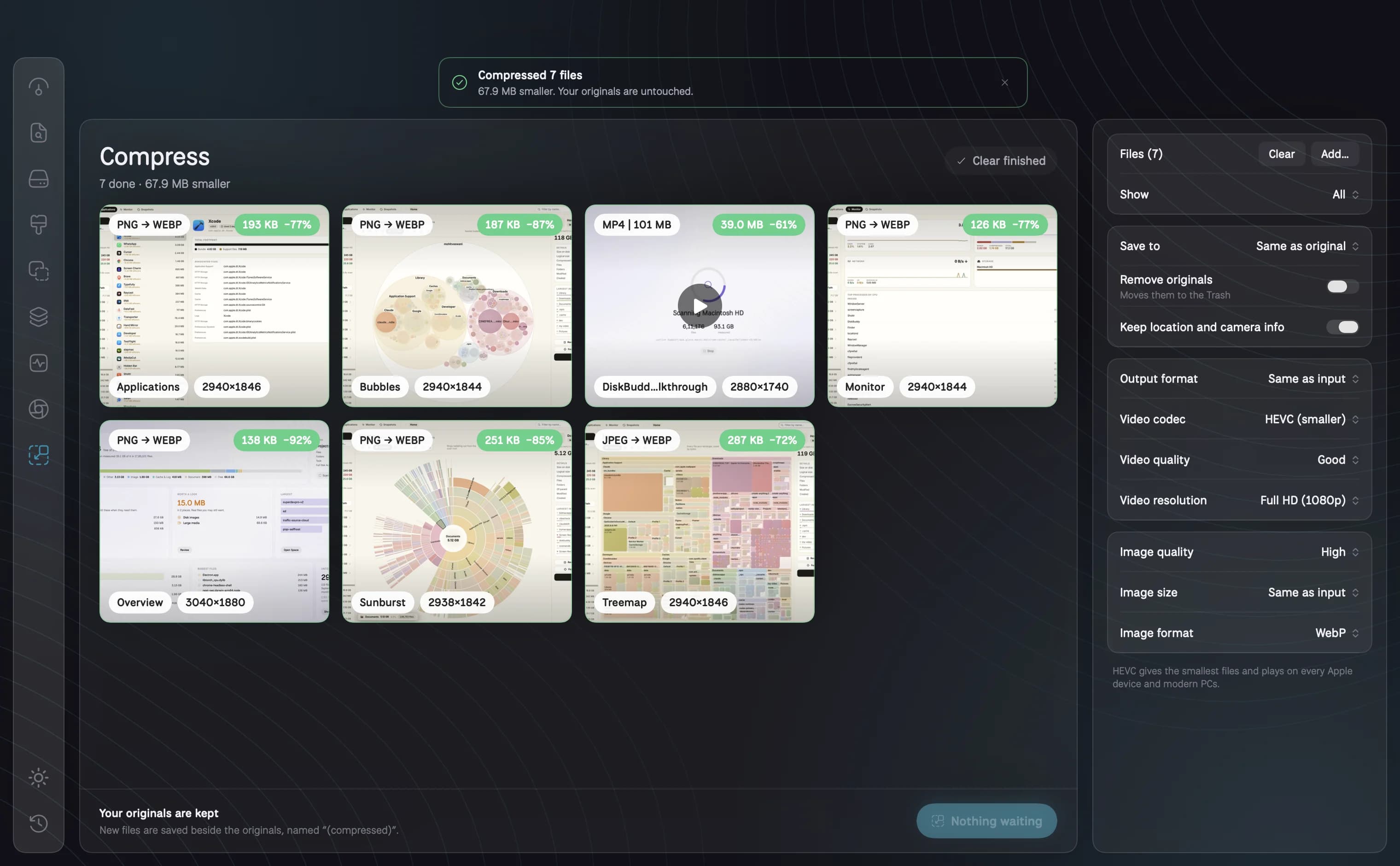
- Videos often 50 to 90% smaller, as MP4, MOV, GIF or WebM
- Quality presets or a target file size; resize to 4K, 1080p, 720p or any edge
- Previews of every file, with the new size and the saving on each
How it works
01
Shrink instead of delete
A 4 GB screen recording often comes out a few hundred megabytes and looks the same. Send the biggest videos and photos straight from a scan, or drop files anywhere on the screen.
02
Every format that matters
Videos as MP4, MOV, GIF or WebM, in HEVC or H.264. Photos as JPG, PNG, WebP, AVIF or HEIC. Each file shows its preview, its size before and after, and the saving.
03
Quality, size or a target
Pick Highest down to Acceptable, or a target file size and let DiskBuddy find the quality that lands under it. Resize to 4K, 1080p, 720p, a percentage or any edge you name.
04
Originals kept
Compressed files are saved as new files beside the originals, or in a folder you choose. Turn on Remove originals and they go to the Trash afterwards, never deleted outright.
Questions about Compress
Does compressing a video lose quality?+
At High and Highest the difference is hard to see; the savings come from a modern codec and a sensible bitrate. Lower settings trade some detail for a smaller file.
Are my files uploaded anywhere?+
No. Everything is done on your Mac with its own encoders. Nothing is sent to a server.
Can I make a GIF from a video?+
Yes. Choose GIF as the output format. The frame rate follows the quality setting, and the GIF is sized to stay reasonable unless you set a resolution.
The other rooms
Next: Activity →- OverviewOne scan, and the whole drive on one screen.See Overview →
- FindAny file on your Mac, found as you type.See Find →
- SpaceThe heavy things come to the top.See Space →
- CleanupFound for you. Trashed only when you say so.See Cleanup →
- DuplicatesFiles that exist twice, confirmed byte for byte.See Duplicates →
- ApplicationsEvery app, with its real footprint and its real habits.See Applications →
- MonitorWhat the Mac is doing, right now.See Monitor →
- ActivityWhat it has done for you, week by week.See Activity →
One app for the whole disk
Every room in one download. Pay once, keep it, and every update is included.
One payment, no subscription. Your key and the download arrive the moment the payment clears.