
The heavy things come to the top.
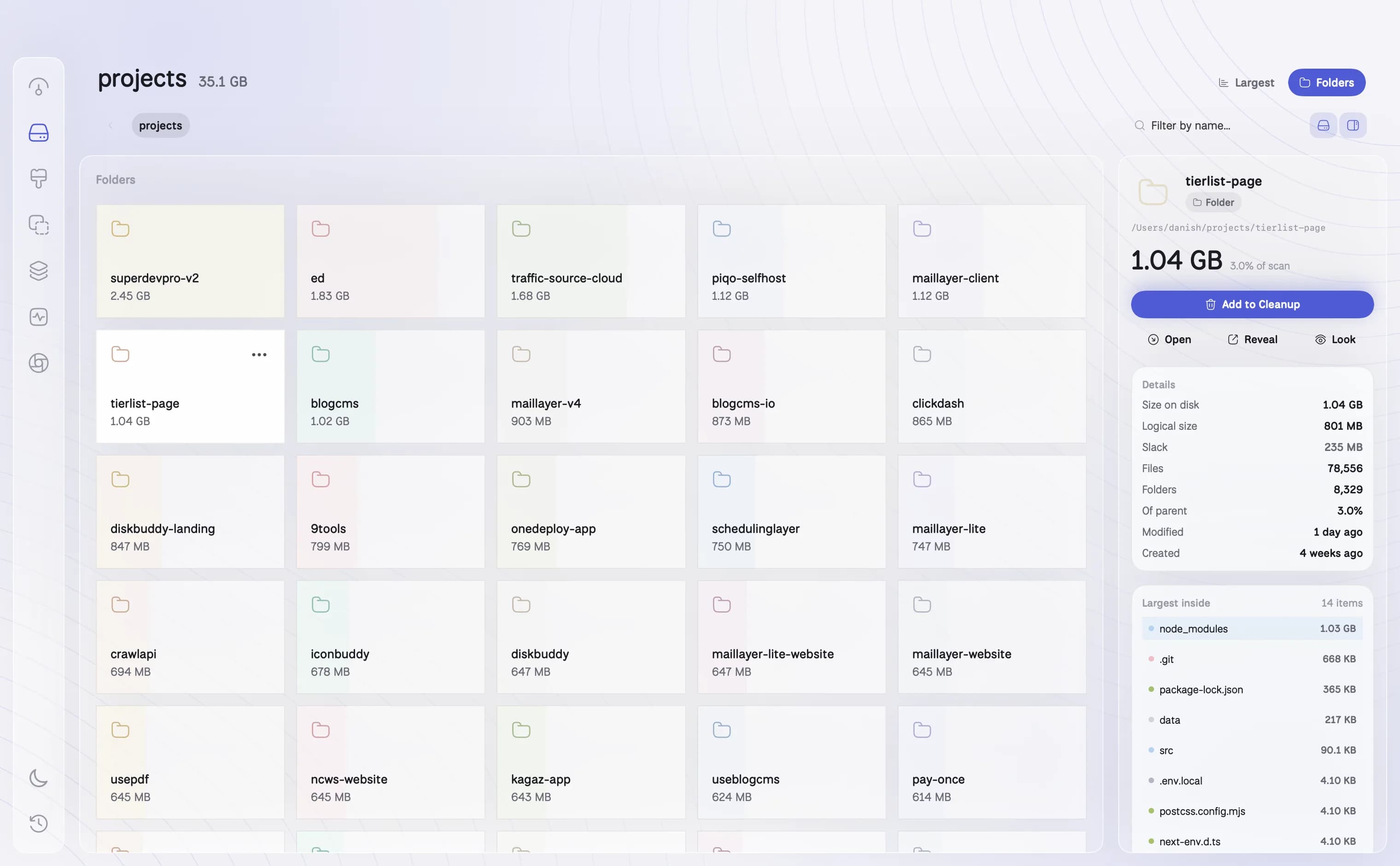
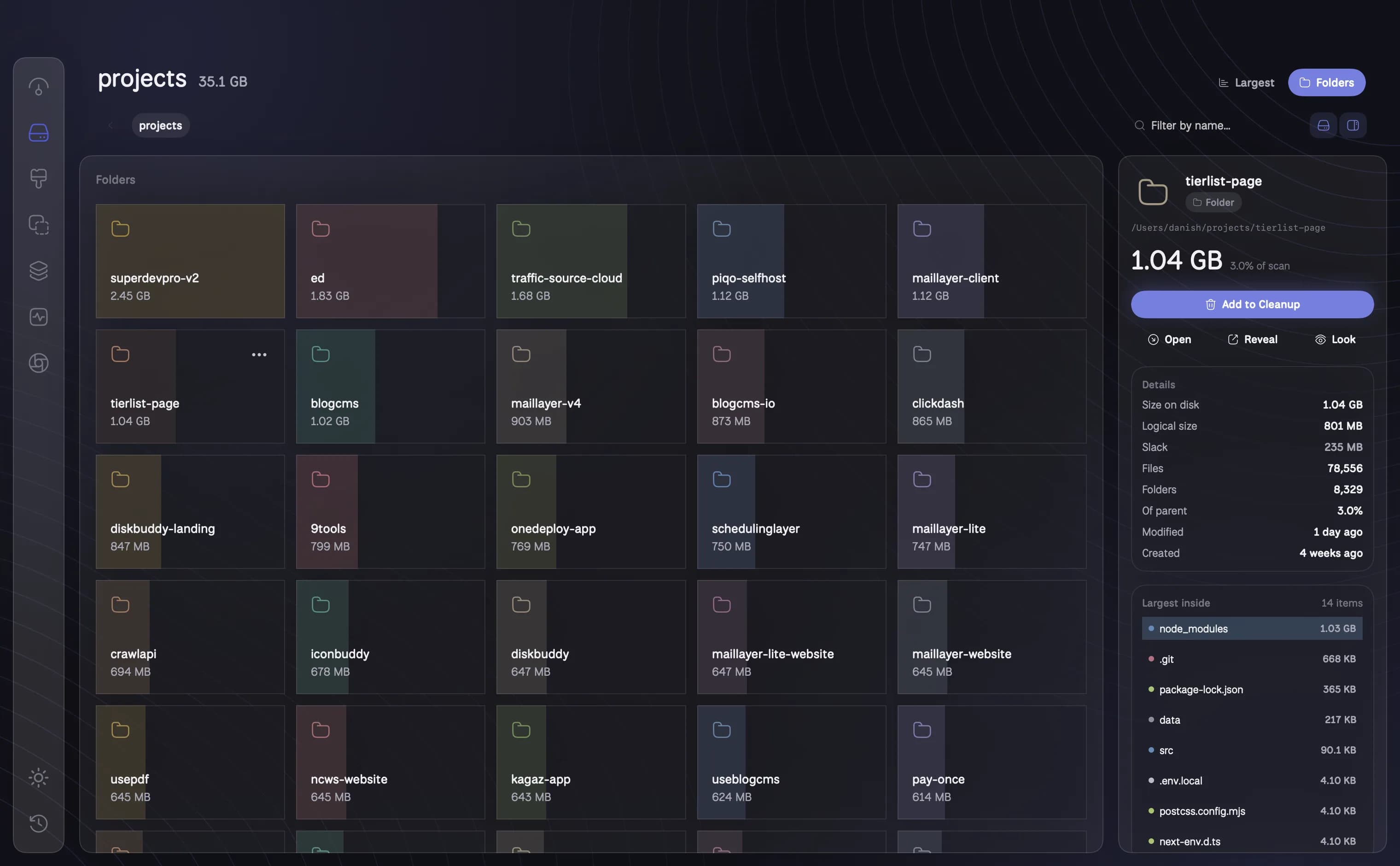
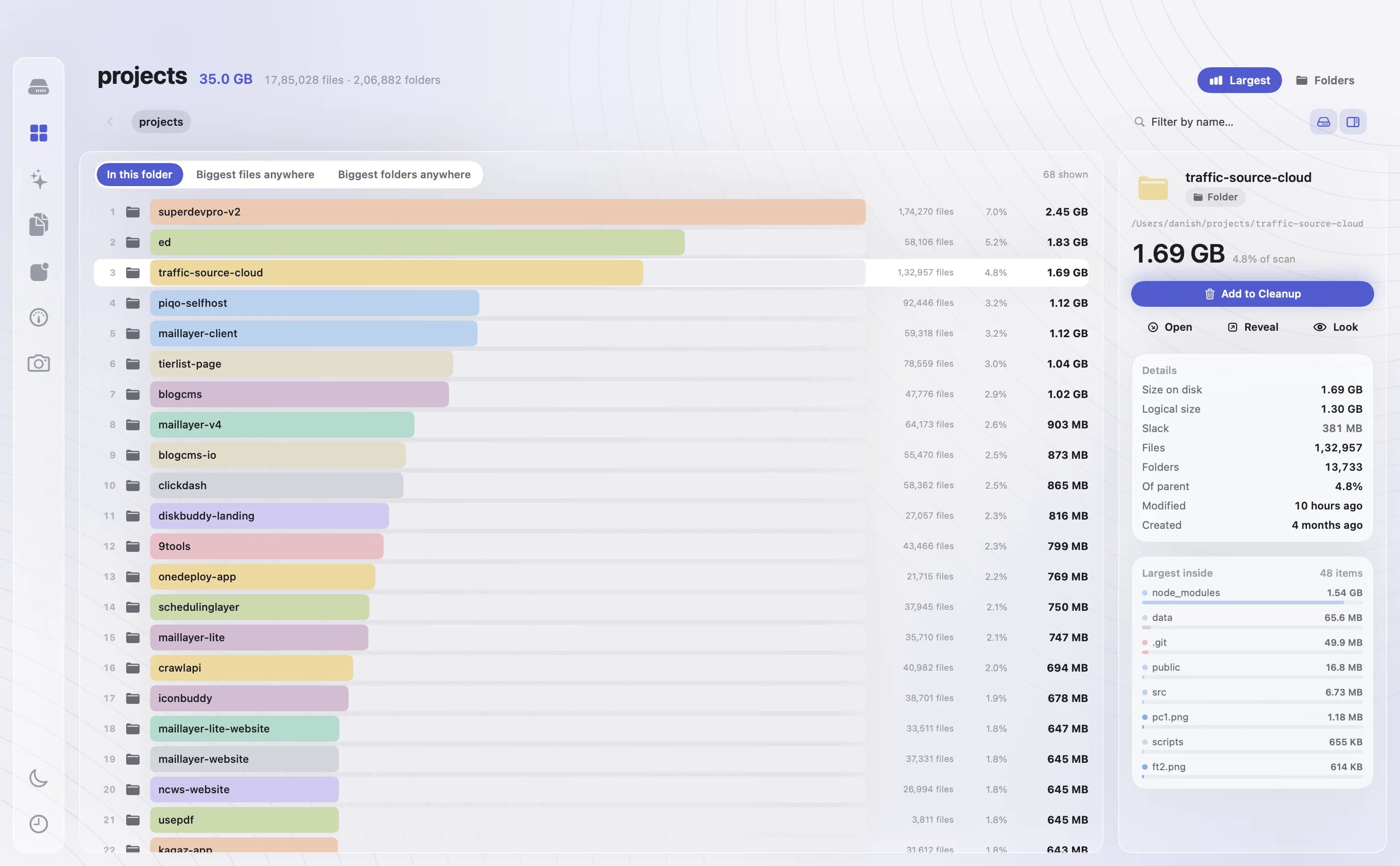
Two ways to read the same scan. Largest ranks every item in a folder, or the biggest files and folders anywhere on the disk. Folders browses card by card, sized as you go, with an inspector that tells you what anything is.
- Largest: ranked bars, in this folder or anywhere
- Folders: browse by card, largest first, colour by type, folder or age
- Inspector with size on disk, compression, dates and what is inside
How it works
01
Largest, ranked
Every item in the folder you are looking at, largest first. Or switch to the biggest files anywhere, or the biggest folders anywhere, across the whole scan.
02
Folders, card by card
Browse the disk as sized cards, largest first, coloured by type, folder or age. Click into any folder and the sizes follow you down.
03
An inspector for anything
Size on disk and logical size, what is inside, when it was made and last changed, and one click to reveal it in Finder, open it, or add it to the cleanup queue.
04
Filter by name
Type part of a name to see only the matches, sized and ranked, so a scattered set of files adds up in front of you.
Questions about Space
What is the difference between size and size on disk?+
Size is how many bytes a file holds. Size on disk is how much space it actually takes, which can be smaller for compressed or sparse files and larger for many tiny ones. DiskBuddy can show either.
Can I delete things from Space?+
You can stage anything for cleanup from Space. Nothing is removed until you review the queue and press the button, and everything goes to the Trash first.
Does it follow symlinks or count hard links twice?+
No. Symbolic links are not followed, and a hard-linked file is counted once, so the totals match what the disk really holds.
The other rooms
Next: Cleanup →- OverviewOne scan, and the whole drive on one screen.See Overview →
- FindAny file on your Mac, found as you type.See Find →
- CleanupFound for you. Trashed only when you say so.See Cleanup →
- DuplicatesFiles that exist twice, confirmed byte for byte.See Duplicates →
- ApplicationsEvery app, with its real footprint and its real habits.See Applications →
- MonitorWhat the Mac is doing, right now.See Monitor →
- CompressShrink it instead of deleting it.See Compress →
- ActivityWhat it has done for you, week by week.See Activity →
One app for the whole disk
Every room in one download. Pay once, keep it, and every update is included.
One payment, no subscription. Your key and the download arrive the moment the payment clears.