
What the Mac is doing, right now.
CPU, memory with swap and pressure, network, storage and battery health on the left; every port something is listening on and the busiest processes on the right, with a way to stop either. The same numbers live in the menu bar.
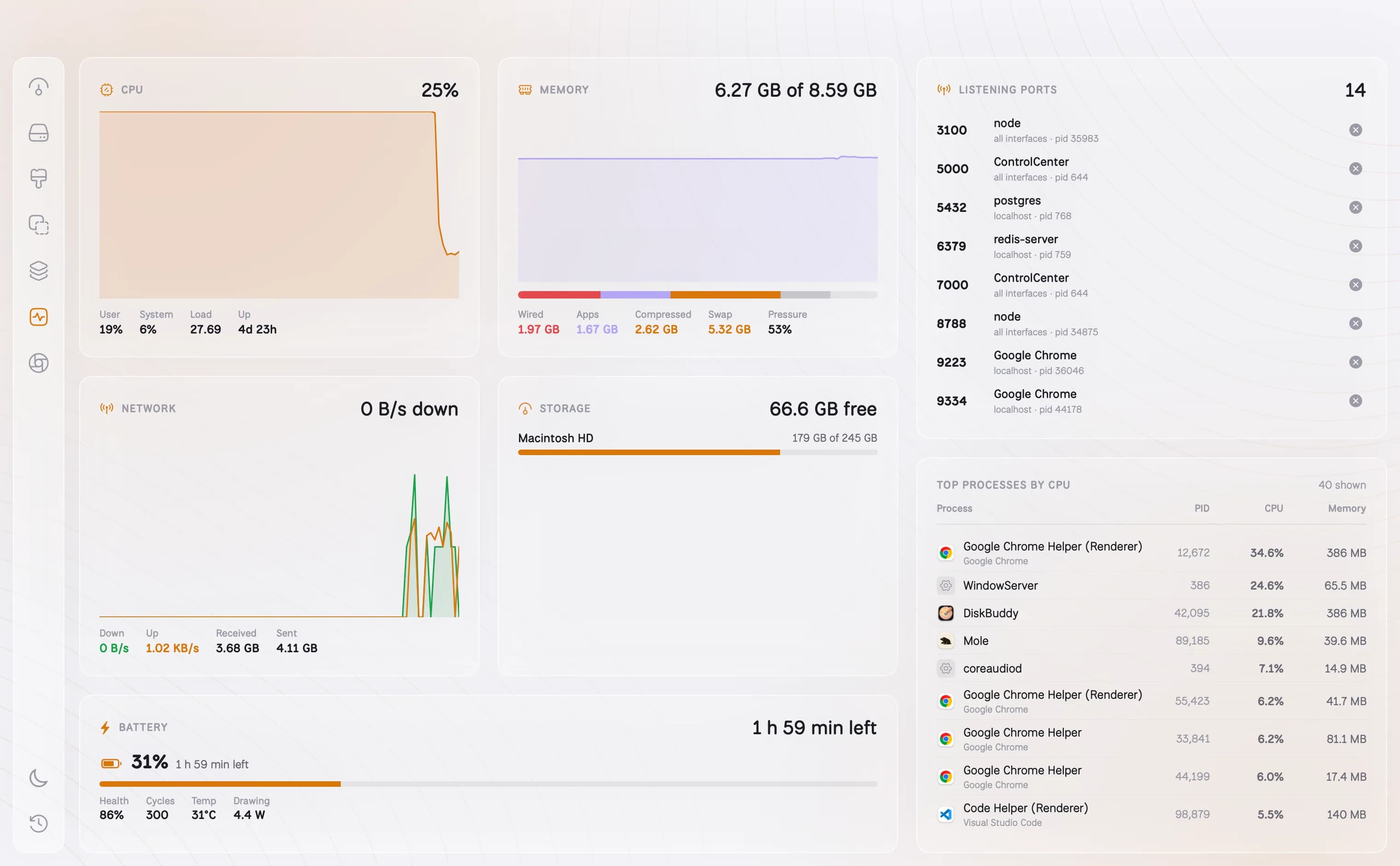
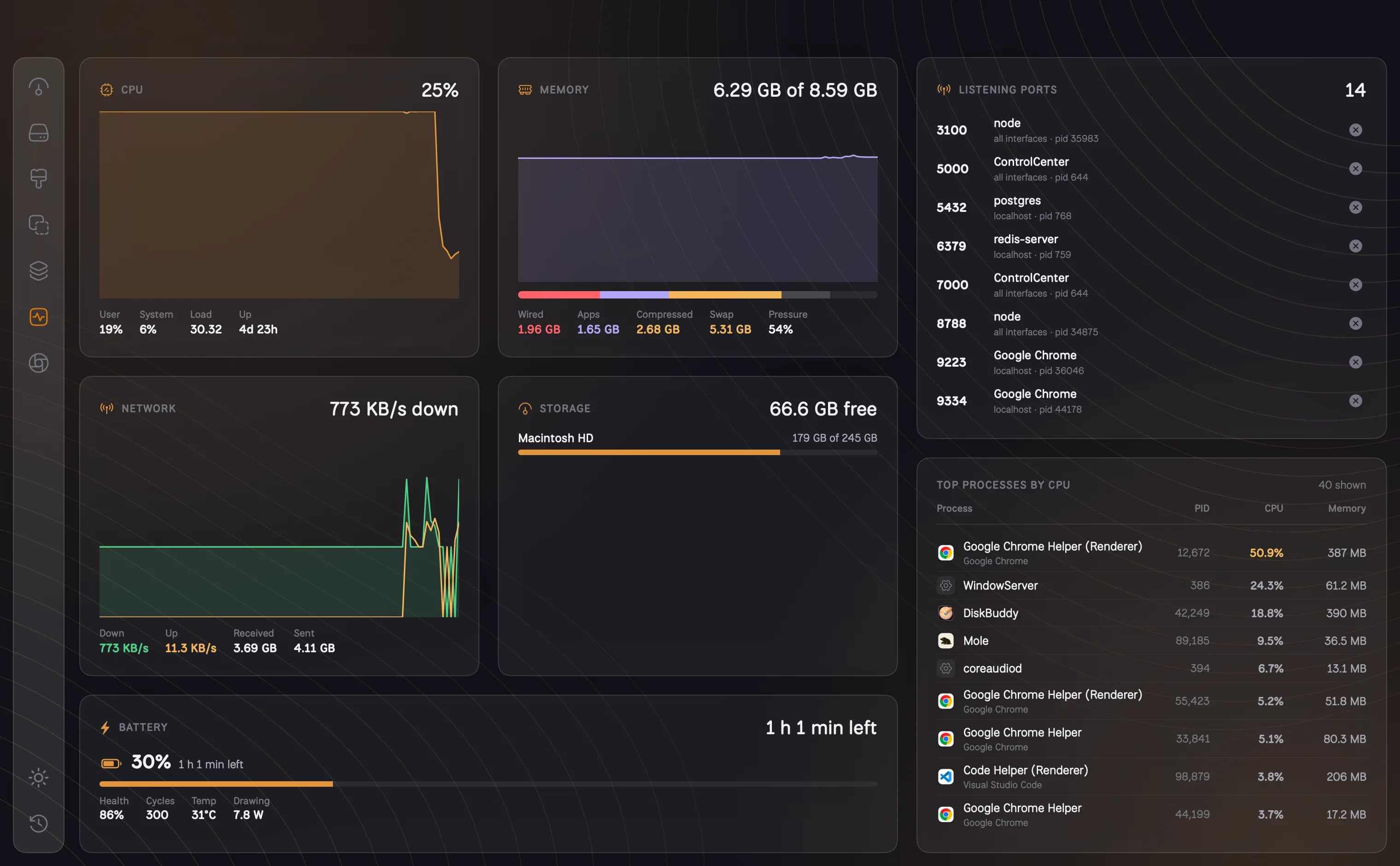
- Battery charge, time left, health, cycles, temperature and draw
- Listening ports with the process behind each, and a Stop button
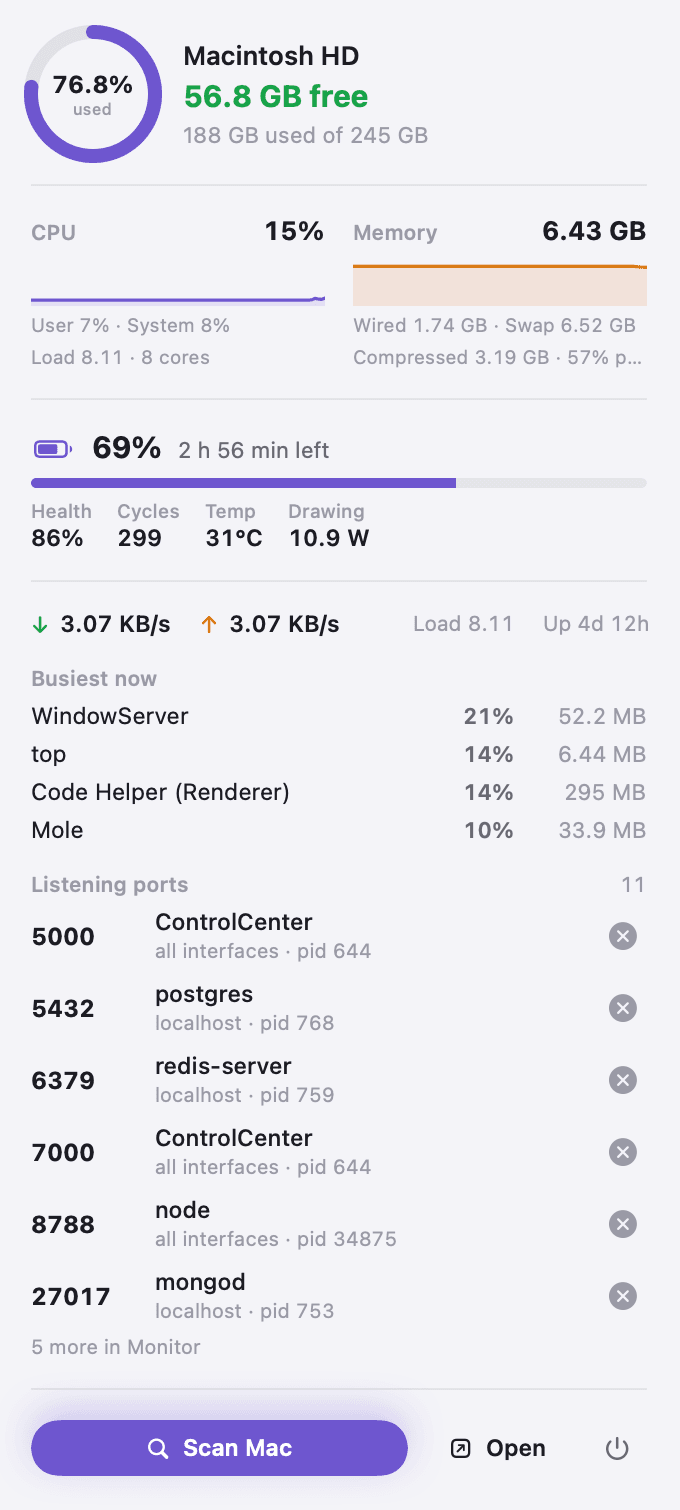
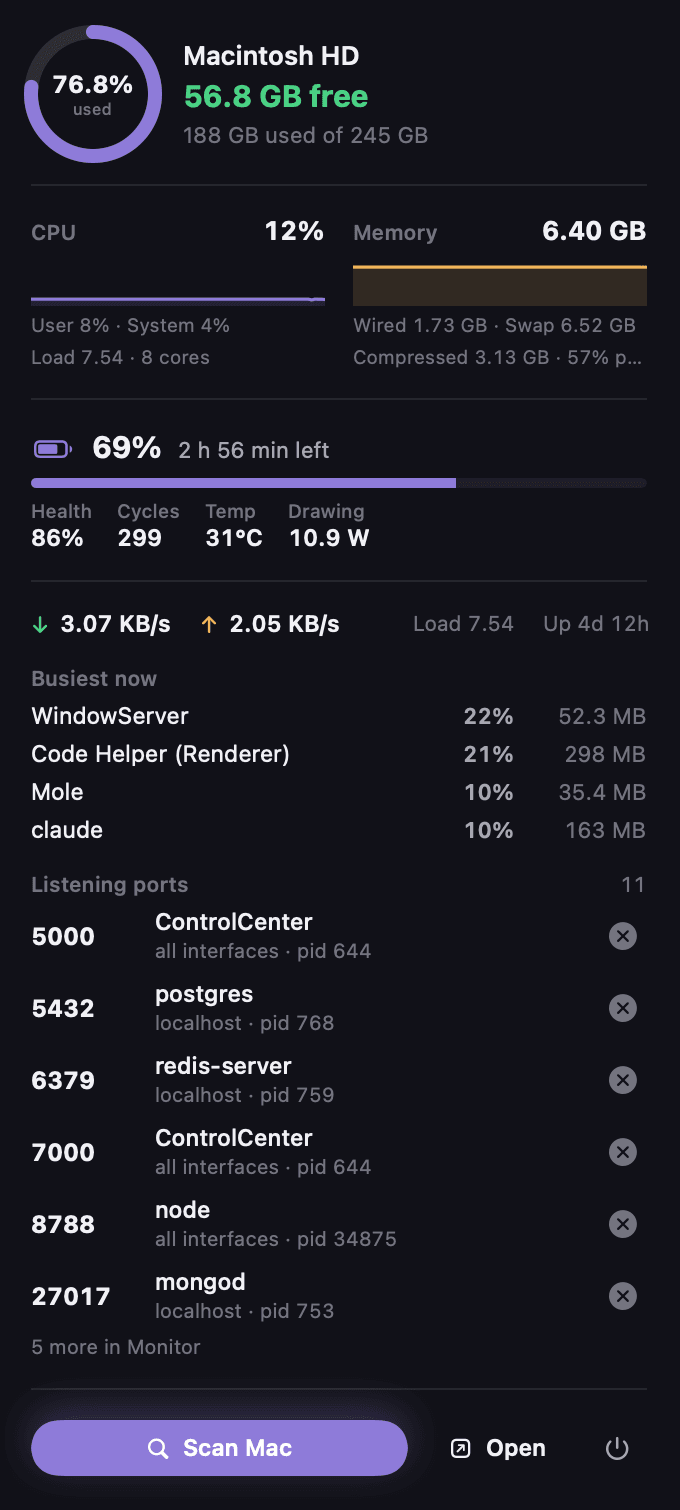
- A menu bar item with the quick view, always one click away
How it works
01
The machine, live
CPU with a history, memory with swap and pressure, network up and down, storage per volume, all updating every couple of seconds.
02
Battery, properly
Charge, time left, health, cycle count, temperature and how many watts it is drawing or taking in, on Macs with a battery.
03
Ports, with a Stop button
Every port something is listening on, the process behind it and who owns it. The port a stuck dev server is holding is one click from free.
04
In the menu bar too
Free space sits in the menu bar. Click it for the drive, CPU, memory, battery, network, the busiest processes and the listening ports, with Scan one press away.
Questions about Monitor
How do I free a port that is already in use?+
Open Monitor, find the port in Listening ports and press Stop. DiskBuddy asks the process to quit, and only processes you own can be stopped.
Does the monitor slow my Mac down?+
No. It reads the same counters Activity Monitor does, a few times a minute, and only while the screen or the menu bar popover is open.
Can I turn off the menu bar item?+
Yes, in Settings. With it off, closing the window quits DiskBuddy as usual.
The other rooms
Next: Compress →- OverviewOne scan, and the whole drive on one screen.See Overview →
- FindAny file on your Mac, found as you type.See Find →
- SpaceThe heavy things come to the top.See Space →
- CleanupFound for you. Trashed only when you say so.See Cleanup →
- DuplicatesFiles that exist twice, confirmed byte for byte.See Duplicates →
- ApplicationsEvery app, with its real footprint and its real habits.See Applications →
- CompressShrink it instead of deleting it.See Compress →
- ActivityWhat it has done for you, week by week.See Activity →
One app for the whole disk
Every room in one download. Pay once, keep it, and every update is included.
One payment, no subscription. Your key and the download arrive the moment the payment clears.